A-to-Z guide
Everything an artisan can do with Bnilik
Client requests near you, plus real management software for your business: quotes, job sites, invoices, planning, clients. One account, built for the phone.
Free during launch — no commission on your jobs.

Two engines, one account
The marketplace: clients come to you
Clients create a request (trade, city, photos, urgency). You see it if it matches your trades and area, you reply with a clear quote, the client compares and chooses. Every completed job earns a real review.
The Pro space: your management software
Service catalogue, A4 quotes and invoices, job sites with steps and photos, shared tracking with the client, planning, client book, expenses, stock, hours, profitability and accounting export — for all your clients, even those who do not come from Bnilik.
Your journey in 12 steps
In the order you will live them. Each step links to the matching screen once you are logged in.
- 1
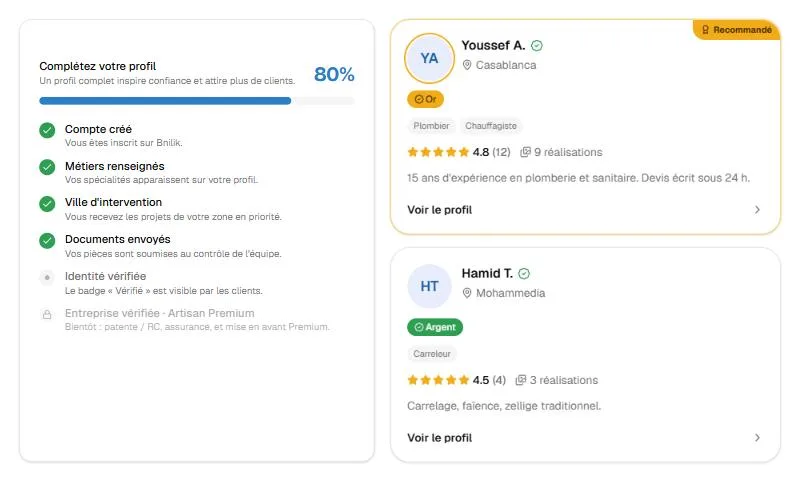
Create your account and profile
Free sign-up in a few minutes. You fill in your trades, your city and service areas, your presentation and your past work: this is your public showcase on Bnilik.
- Trades, city and service areas
- Photos of past work and presentation
- Public profile clients can browse
- Profile progress shown on your dashboard
Screenshot — sample data - 2
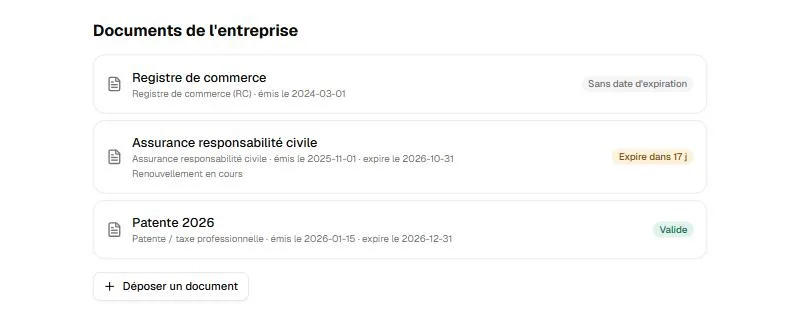
Get your identity verified
You upload your documents; our team checks your identity and activity, then you receive the “Verified” badge. It is never paid for and cannot be bought.
- “Verified” badge visible to clients
- Company document vault (registration, insurance…) with expiry alerts
- Trust star computed from real facts
Screenshot — sample data - 3
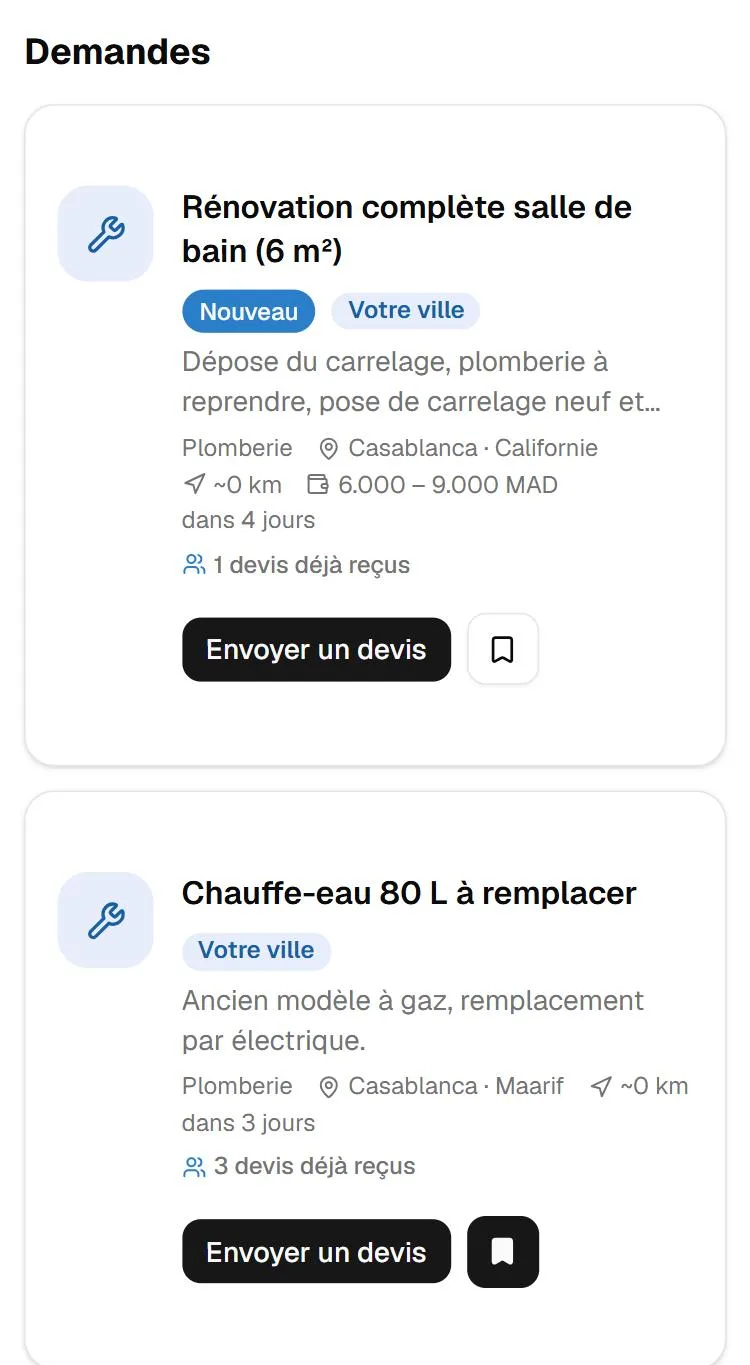
Receive requests near you
As soon as a client creates a request matching your trades, it appears in your feed, your city first, with the distance. In real time, with no bidding.
- Request feed filtered by trade, city and distance
- Save or dismiss a request
- Email notification when a request matches you
- Map of requests and of your job sites
Screenshot — sample data - 4
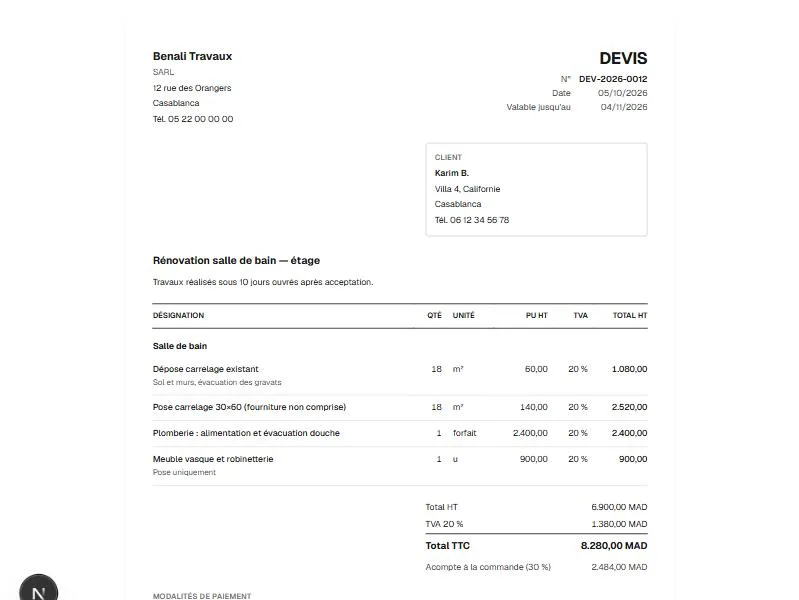
Reply with a clear quote
Amount, lead time, approach, attachments: you send your quote from the request, or from one of your templates. The client compares proposals on transparent criteria.
- Reusable quote templates
- Saved drafts
- Framed cancellation after acceptance
- Opportunity tracking and follow-ups
Screenshot — sample data - 5
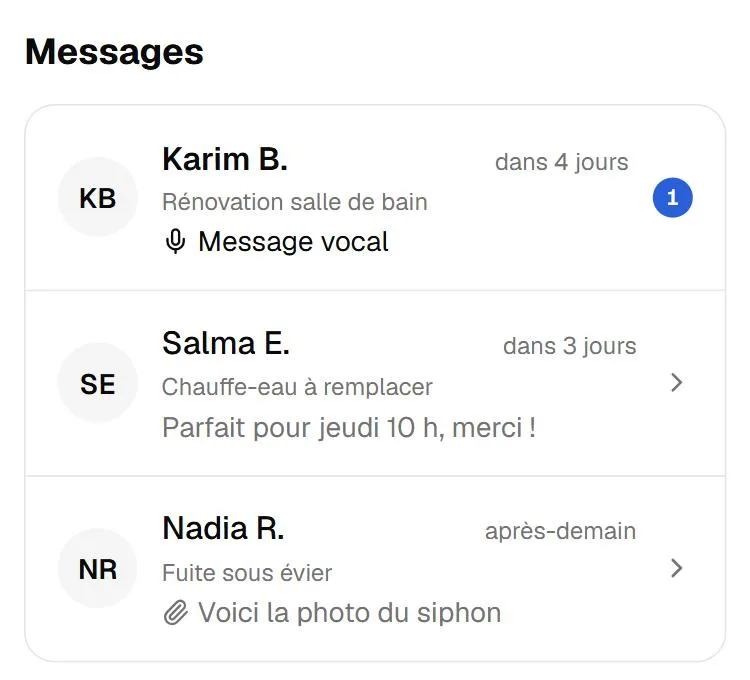
Chat and set an appointment
Messaging opens with the client: text, photos, voice messages. The client can request an appointment from your profile; you accept, decline or move it, respecting your unavailabilities.
- Real-time messaging with voice messages and photos
- Appointment requests to accept or move
- Unavailabilities (holidays, job sites) respected automatically
- “I have arrived” check-in that notifies the client
Screenshot — sample data - 6
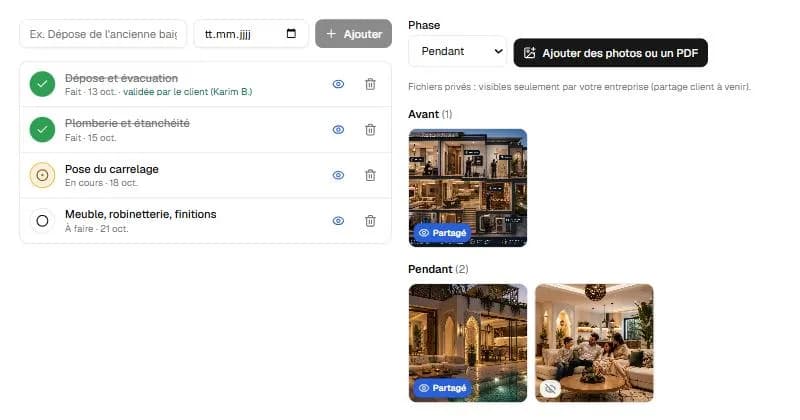
Run the job site
Each job site has its steps, before/after photos, hours, finger-signed intervention reports and history. You share a tracking link with the client, without ever revealing the exact address.
- Steps, photos and documents per job site
- “Bnilik Live” shared tracking the client opens without an account
- Step validation by the client
- Automatic review request at the end of the job
Screenshot — sample data - 7
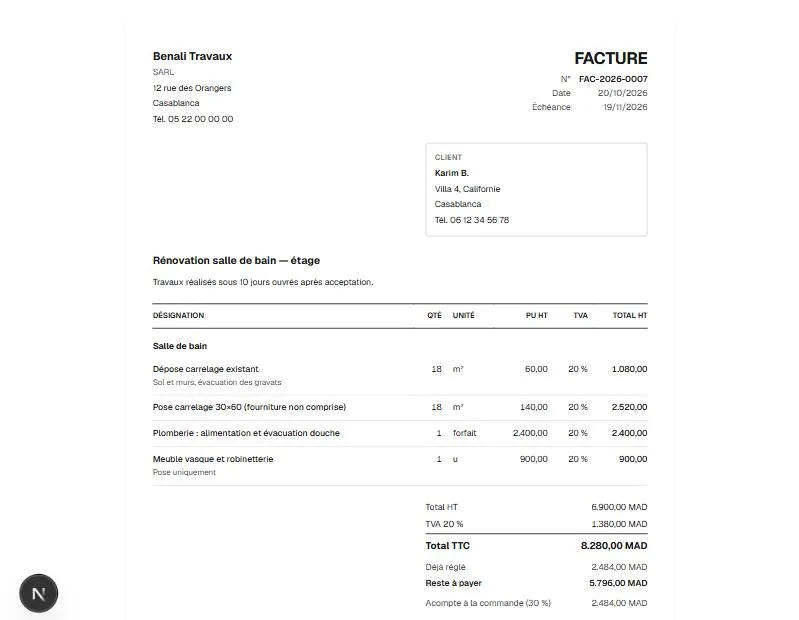
Price and invoice like a pro
Catalogue of services and materials (with a starter catalogue per trade), detailed pro quotes, invoices, deposit invoices, credit notes, payment receipts — all printable in A4 or PDF.
- Catalogue with CSV import
- Automatically numbered A4 quotes and invoices
- Quote acceptance and invoice links, no client account needed
- Payment receipt and payment schedule
Screenshot — sample data - 8
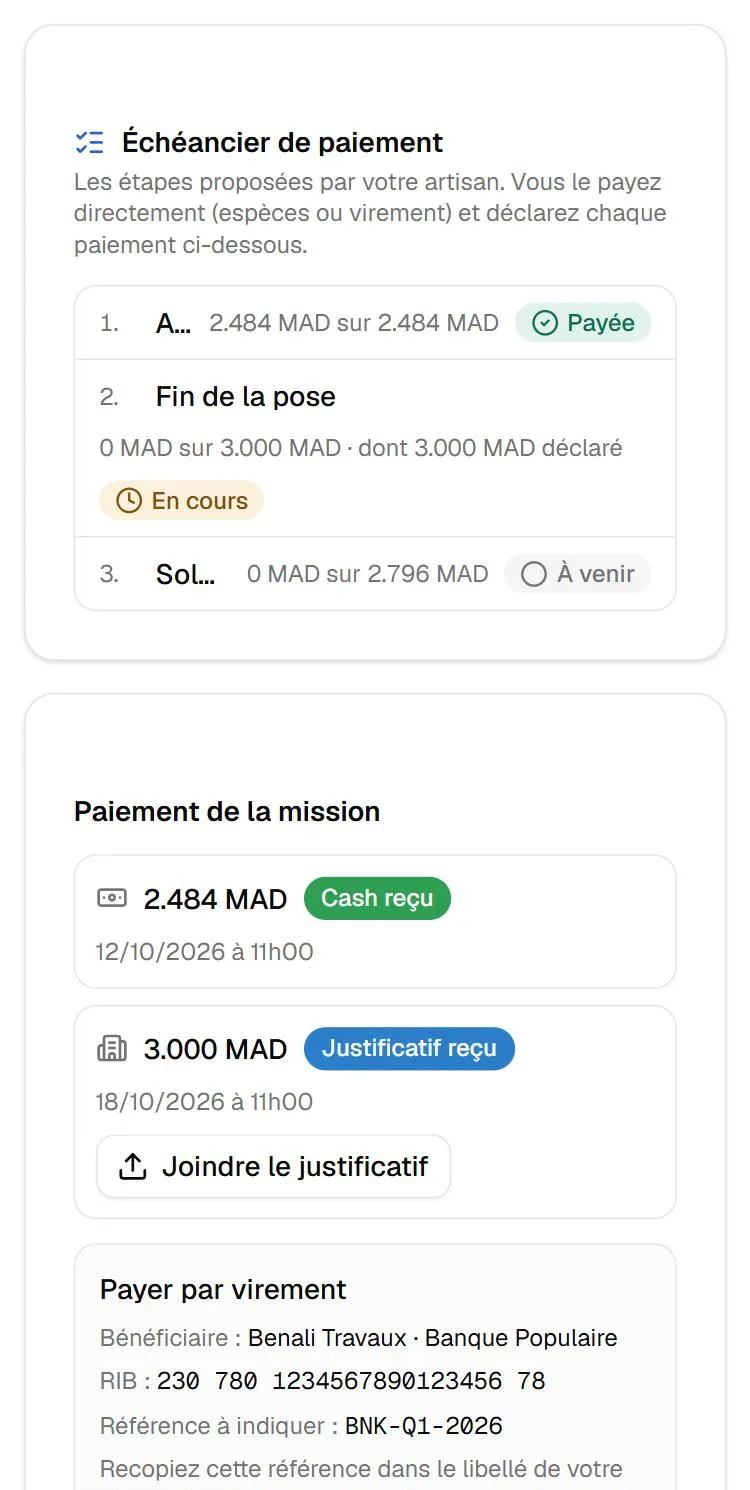
Get paid directly, no intermediary
The client pays you in cash or by transfer, directly. One declares the payment, the other confirms: Bnilik never touches your money and takes no commission.
- Payments declared and confirmed by both parties
- Bank details shared with the client only after an accepted quote
- Deposit / steps / balance schedule
- Receipt to print or send on WhatsApp
Screenshot — sample data - 9
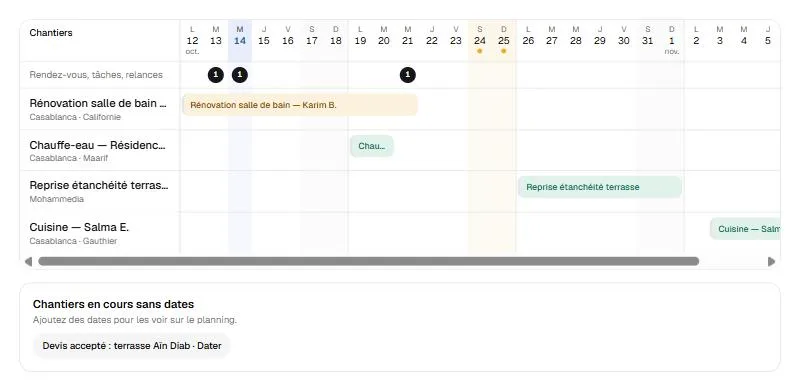
Organise your week
Planning by day, week, month or a four-week job-site board; agenda, tasks and reminders; movable appointments; unavailabilities.
- Day, week, month and board views
- Tasks and reminders linked to job sites
- Appointment agenda
- Next appointment at the top of the dashboard
Screenshot — sample data - 10
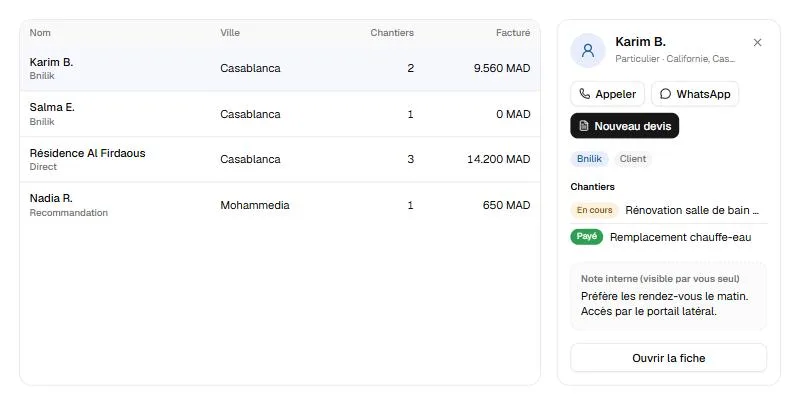
Follow your clients
A client book for all your contacts, from Bnilik or not: details, notes, each one's job sites, quotes and invoices, pre-filled WhatsApp follow-ups you send yourself.
- Client card with job sites and invoiced amounts
- Internal notes
- Pre-filled WhatsApp follow-ups, never automatic
- CSV import and export
Screenshot — sample data - 11
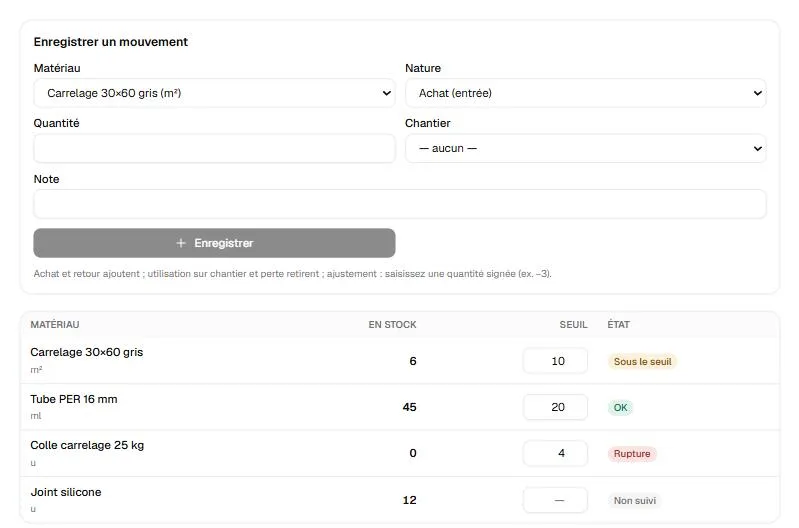
Keep your books
Expenses per job site, suppliers, material stock with alert thresholds, hours spent and labour cost: you see the real profitability of each job and export everything for your accountant.
- Expenses and suppliers
- Stock and threshold alerts
- Profitability per job (planned / actual budget)
- Statistics and accounting export
Screenshot — sample data - 12
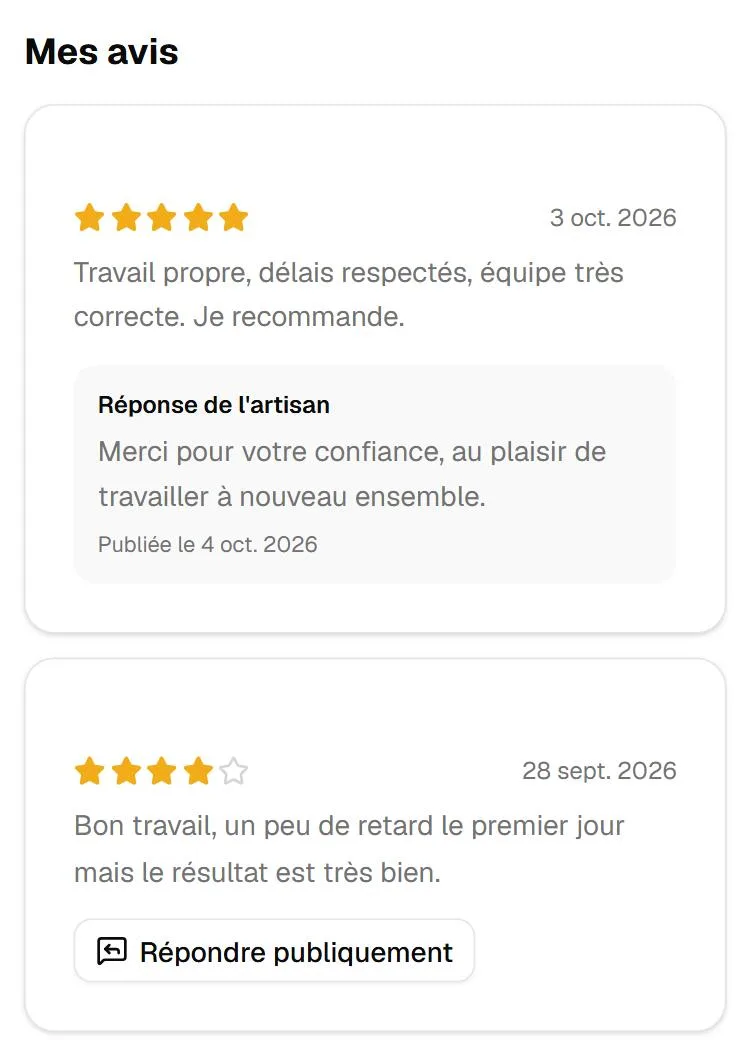
Build your reputation
Every job completed through Bnilik invites the client to leave a real review. You can reply publicly, once. Your rating and trust star attract the next clients — without advertising.
- Real reviews only, never bought
- Public reply from the artisan
- Review request on WhatsApp in one tap
- Public profile and directory by trade and city
Screenshot — sample data
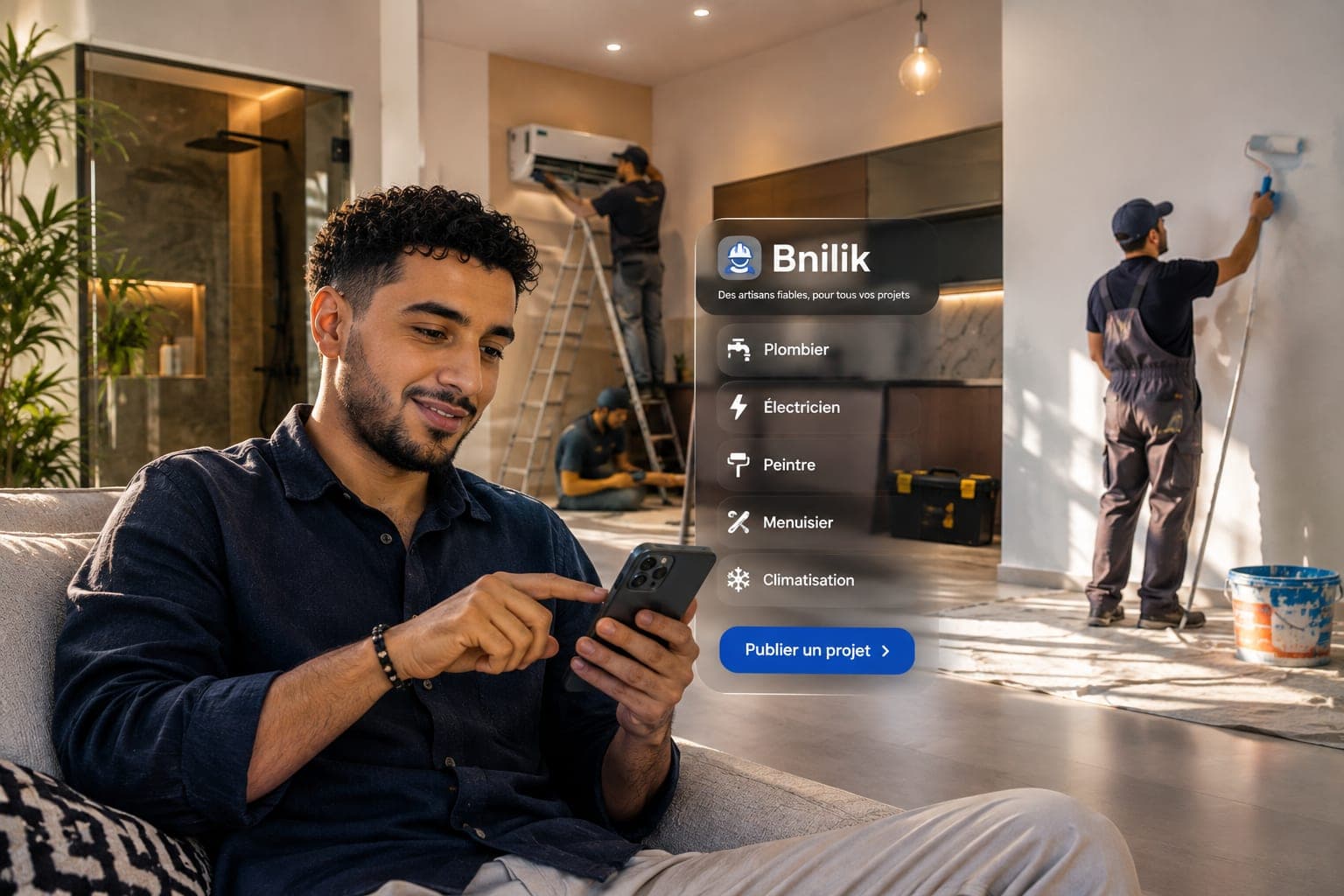
Everything works from your phone
Bnilik is designed for the phone first: tab bar, “+” button to create a quote, a job site or an invoice in two taps, voice messaging, check-in on arrival. On site or in the van, everything is within thumb reach.
What Bnilik does not do
- Bnilik takes no commission on your jobs and never touches your clients' money.
- The “Verified” badge cannot be bought: it is earned through a check by the team.
- Ranking cannot be bought: it is built with real reviews and a complete profile.
- No fake reviews, no invented figures: everything you see comes from real jobs.
Ready to work with clients who trust you?
Create your account, complete your profile and send your first quote: everything is free during launch.
Create my artisan account